Features
An offline music player for the files you own, with listening stats counted on your iPhone and Spotify as an optional second source.
Import from anywhere
Bring in the audio files you already own. Each import is copied into the app, so it plays offline and keeps playing even if the original is moved or deleted. If you import the same file twice, the second copy is skipped.
- Files. Pick from your iPhone, iCloud Drive, or any cloud app that shows up in the Files app.
- Dropbox. Sign in once and browse your folders inside the app. Import single tracks or a whole folder, subfolders included.
- Google Drive. Choose files in Google's own picker. The app is only ever allowed to see the files you picked.
- Wi-Fi transfer. Your iPhone serves a page at
statisfy.local(or its IP address) on your Wi-Fi network. Open it on a computer, enter the four-digit code shown on the phone, and drop files in. It only runs while the transfer screen is open, and nothing leaves your network. - Finder or the Files app. The app's music folder is visible under On My iPhone, so you can copy files over a cable too.
Supported formats: MP3, AAC/M4A, ALAC, FLAC, WAV, AIFF and CAF.
Playback
Everything you expect from a music player, built on the system audio engine so it behaves like one.
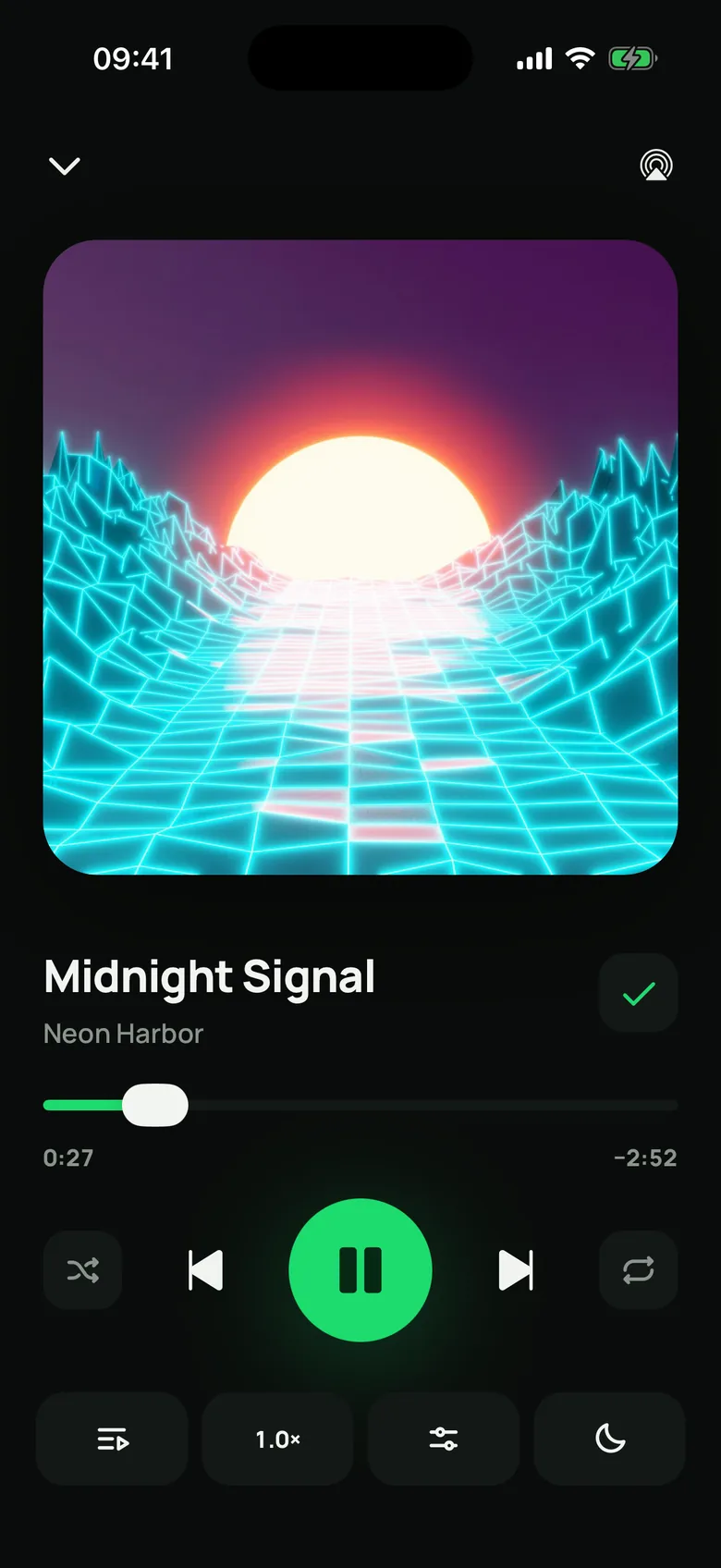
- Background playback, with full controls on the lock screen and in Control Center.
- AirPlay to speakers, TVs and receivers, from a button on the Now Playing screen.
- Resumes by itself after a phone call, Siri or a navigation prompt.
- A queue you can view, reorder and trim, with shuffle that starts from the track you chose and repeat for one track or the whole queue.
- Playback speed from 0.5× to 2× in seven steps, with the pitch kept natural.
- A sleep timer that stops after a set number of minutes or at the end of the current track, and keeps working with the screen locked.
Equalizer
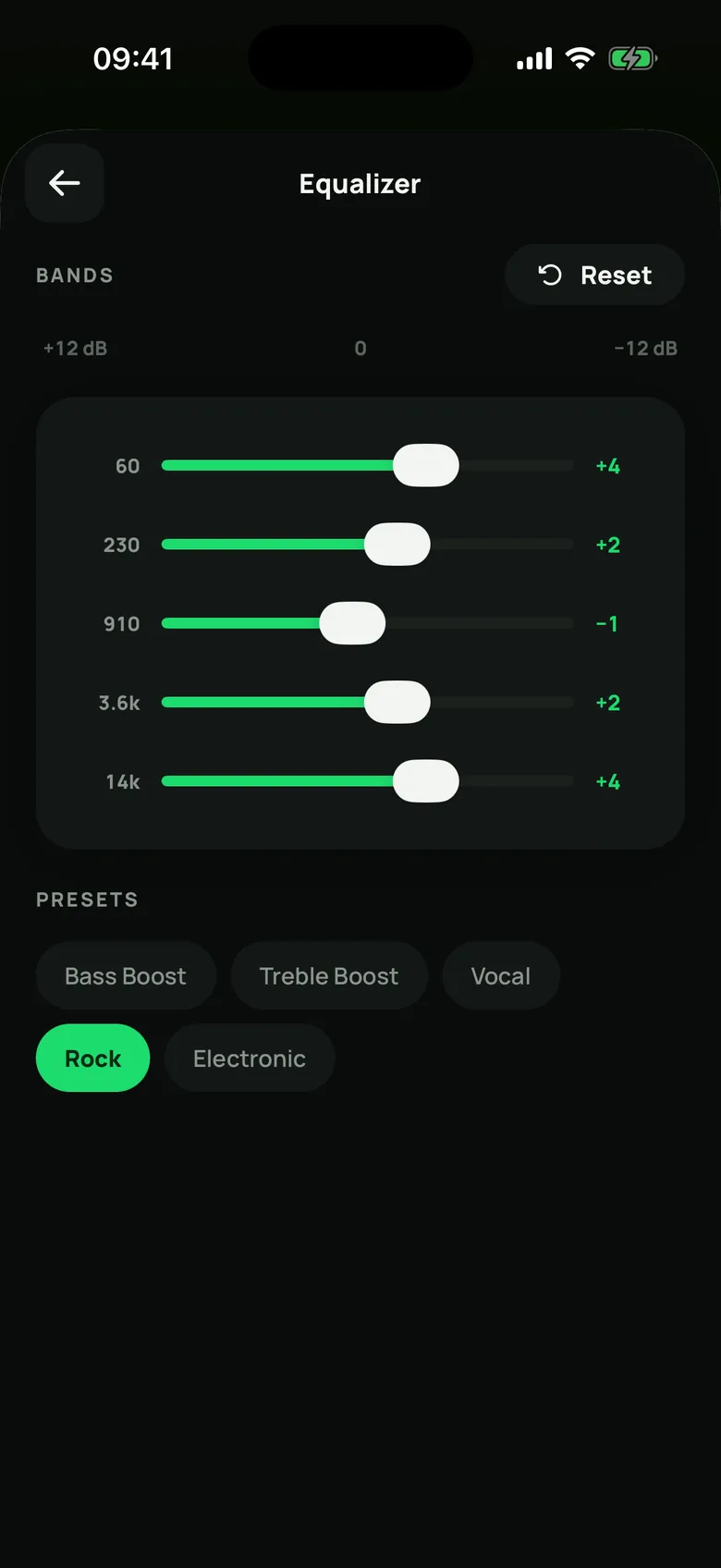
A five-band equalizer (60 Hz to 14 kHz) that shapes everything you play, AirPlay included. Moving the bands is free; Reset flattens them and turns the equalizer off.
Premium adds five tuned presets: Bass Boost, Treble Boost, Vocal, Rock and Electronic.
Library and playlists
Browse your music as songs, albums, artists or folders, search across all of it, and sort by date added, name, play count or when you last played it.
- Edit a track's title, artist and album, or give it a cover from your photos. Edit several at once, too.
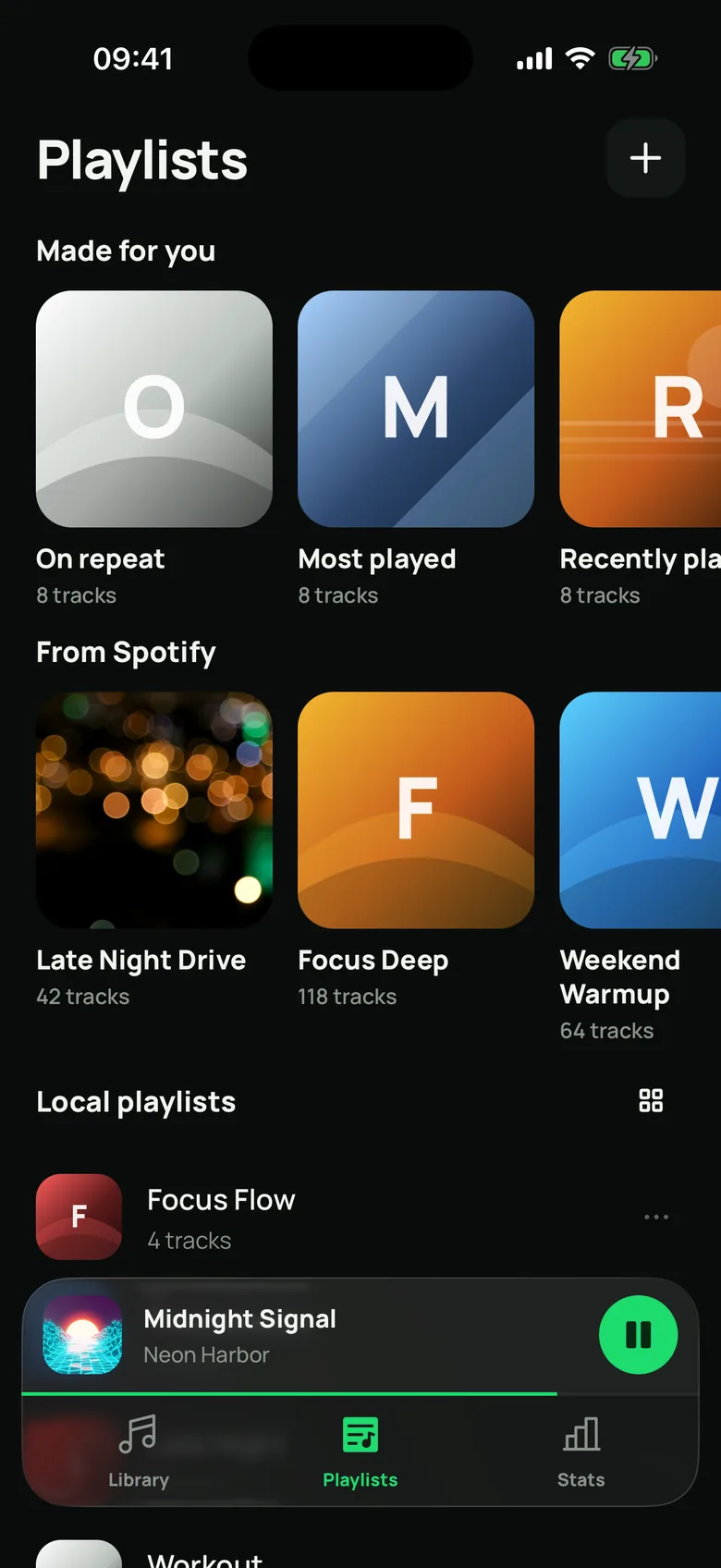
- Make playlists with their own cover art, and add tracks in bulk.
- Made for you (Premium): On repeat, Most played, Recently played, Forgotten favourites and Never played, rebuilt from your listening and savable as ordinary playlists.
- See how much space your library uses, and clear leftover files in one tap.
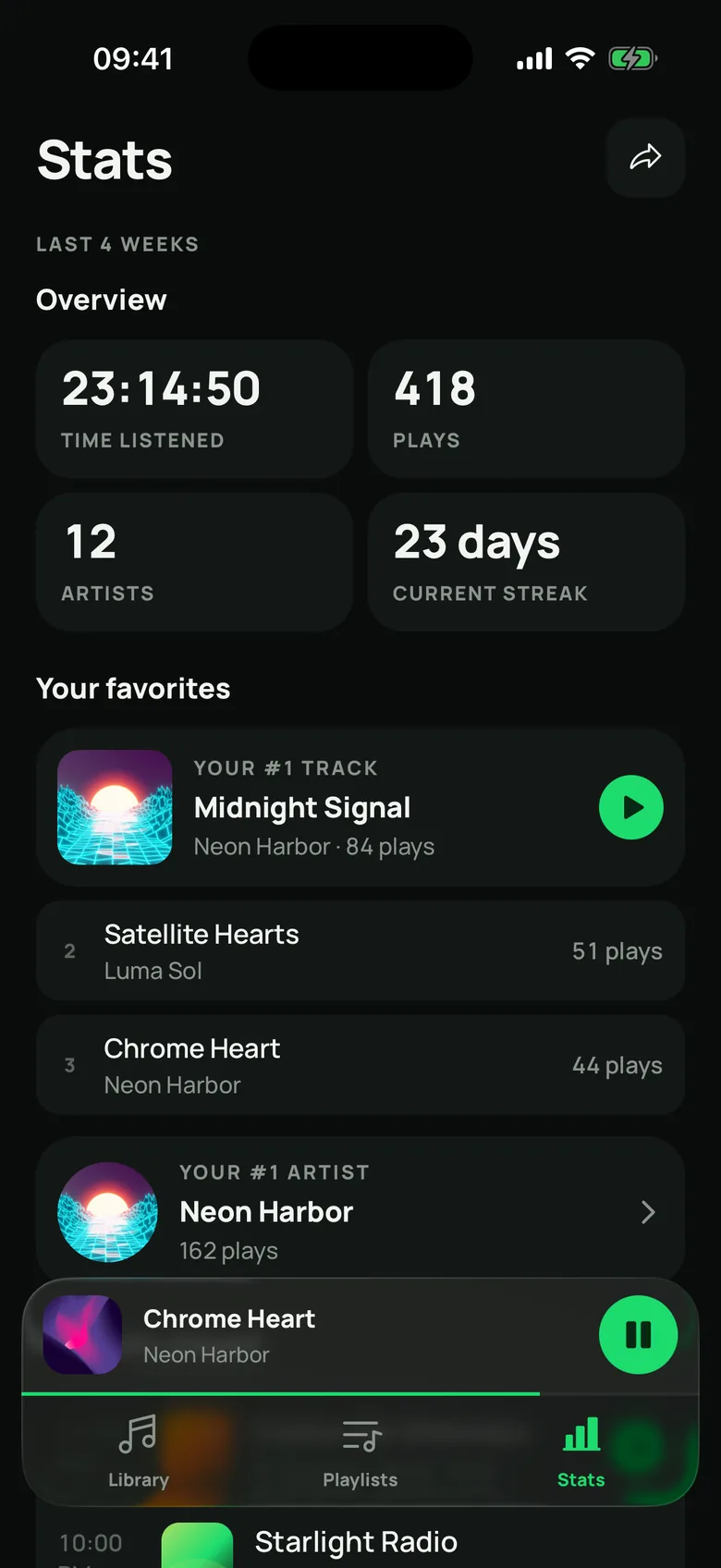
Listening stats
Every play is recorded on your iPhone, with no account. A track counts once you have heard 30 seconds of it or half of it, whichever comes first, and the time is measured as actually played, so seeking doesn't skew it.
- An overview of your last four weeks: time listened, plays, artists and your current streak.
- Your favourites: your number one track and artist, with the rest of the ranking in Premium. Tap a ranked track and the whole list plays from there.
- Recently played, as a timeline grouped by day.
- Listening habits worked out from your own plays: night owl, repeater, marathoner or collector.
The app keeps your most recent 20,000 plays, and you can clear them at any time in Settings.
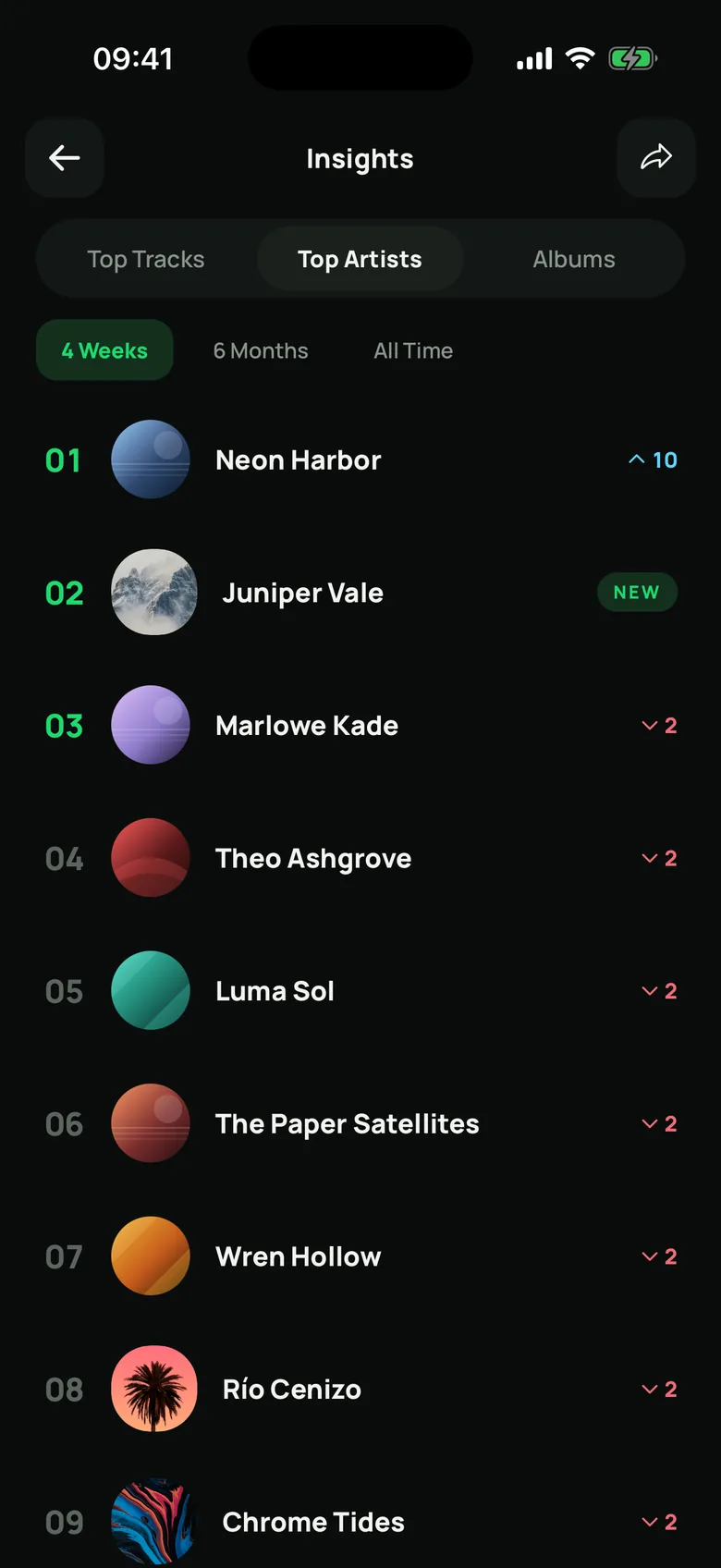
Spotify stats
Connecting a Spotify account is optional, and adds Spotify as a second source next to your own listening.
- Top tracks, artists and albums over four weeks, six months and all time, with how each one moved.
- A music personality with the traits that led to it.
- What changed between two periods: who came in, who dropped off, who rose.
- The decades your music comes from.
- How many of your Spotify favourites you already own as files, and a wantlist of the ones you don't, exportable as text.
- When nothing is playing in the app, a row showing what is playing on Spotify, with controls.
You sign in on Spotify's own page with Authorization Code and PKCE; the app never sees your password. Spotify data is fetched while you look at it and is not stored. The six-month and all-time ranges, the full top lists, what changed, decades, personality traits and the wantlist are Premium.
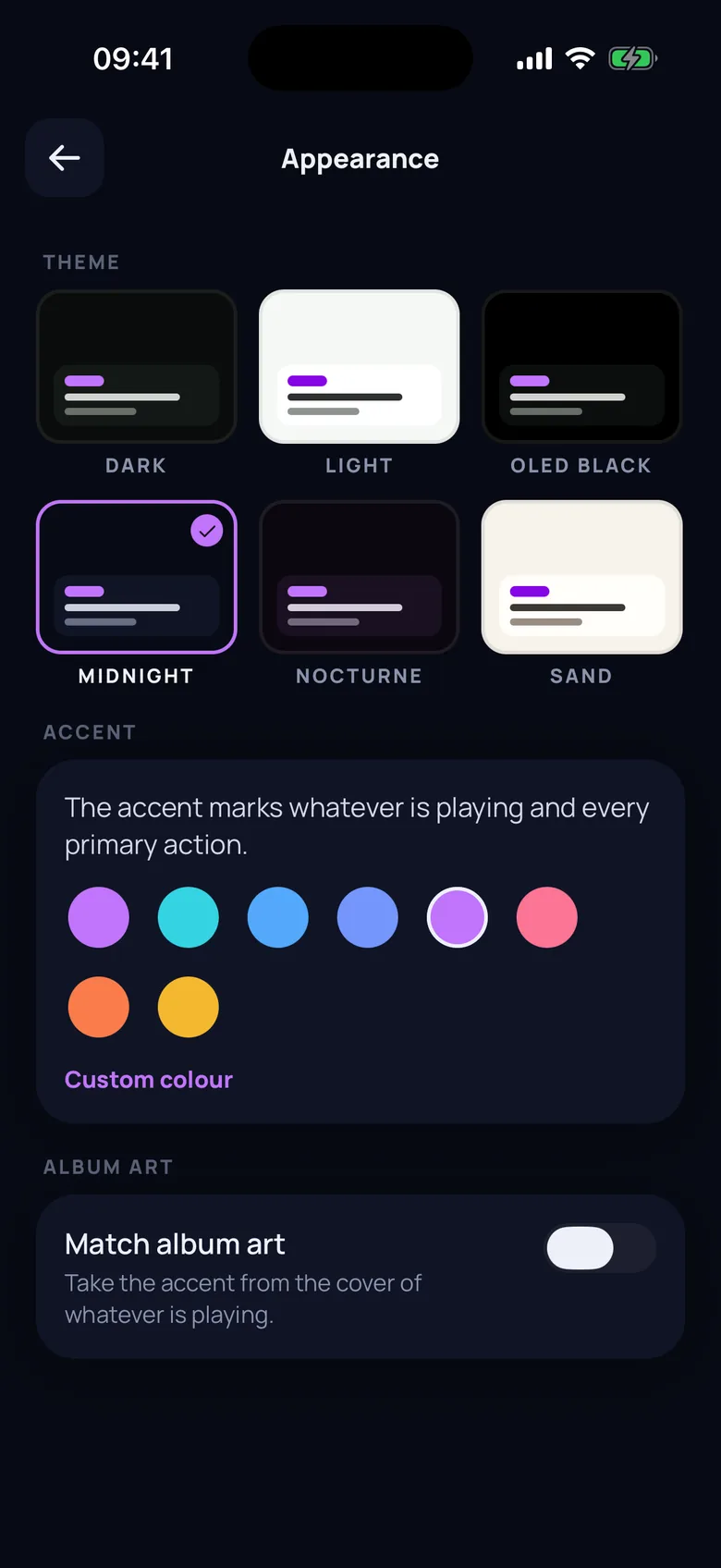
Appearance
Six themes: Dark, Light and OLED Black, plus Midnight, Nocturne and Sand with Premium. Premium also lets you pick your own accent colour, or take the accent from the album art of whatever is playing.
Widget
A Home Screen widget shows what is playing from your library, with its cover. It only ever shows your own imported music.
Notifications
A weekly recap of your listening, and the occasional nudge to rediscover songs you love. Notifications stay off until you turn them on, and never get noisy. On a free trial, you get a heads-up before you are charged.
Languages and devices
Available in English, French, Portuguese, German and Spanish. Runs on iPhone and iPad with iOS 16.4 or later.